PC-Type Automatic Transfer Switches: Full Guide
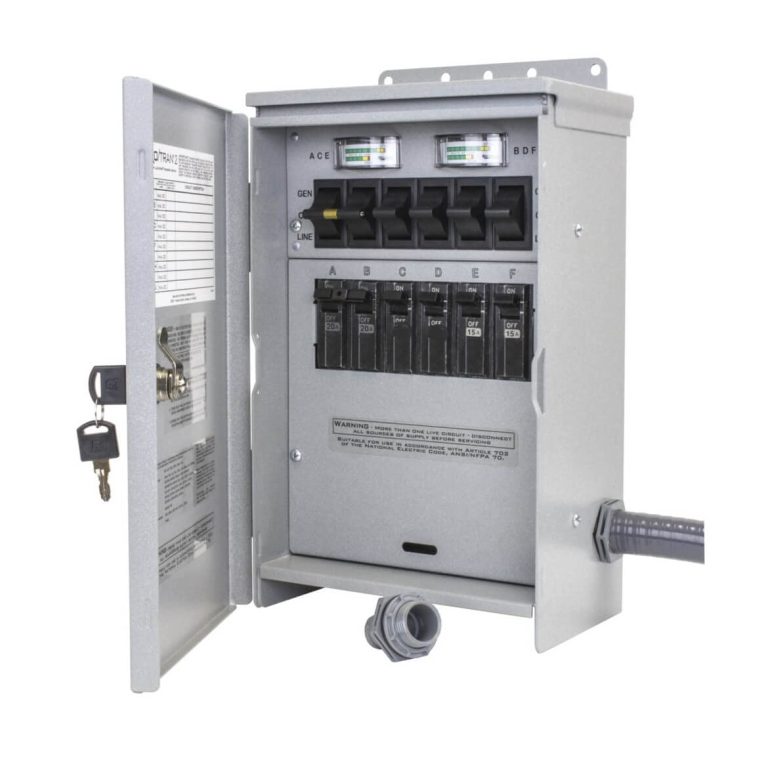
An automatic transfer switch (ATS) PC type is a device that automatically moves your power source from the main utility to a backup generator when the main power fails. It does this without you having to flip a switch, and it switches back when the grid power returns. This type of switch is a standard choice for homes and businesses that need a reliable backup plan.
We found that the “PC” in PC type stands for open transition, meaning it breaks the connection to one power source before making the connection to the other. This creates a brief, safe delay during the transfer, preventing dangerous back-feeding of electricity. It’s a simple and cost-effective solution that many experts say is the most practical for most residential applications.
- It’s automatic: The switch detects power loss and starts your generator all by itself.
- It’s a “break-before-make” system: It safely disconnects from the utility before connecting to the generator.
- It’s fast: The transfer usually happens in just a few seconds.
- It’s simpler than other types: PC type is typically less complex and more affordable than closed transition switches.
- It’s reliable: It ensures your essential appliances keep running during an outage without manual work.
Below, we break down exactly how a PC type ATS works, what to look for when buying one, and how it compares to other options so you can pick the right setup for your home.
Choosing a PC Type Transfer Switch for Your Home
We found that picking the right transfer switch starts with understanding what PC type actually means for your daily life. It is the most common choice for residential backup power because it is safe, simple, and budget-friendly.
You want a system that works when you are asleep, on vacation, or stuck at work during a storm. A PC type ATS delivers that peace of mind without requiring you to think about electricity at all.
Why Most Homeowners Pick This Style
Many experts say the PC type hits the sweet spot between cost and reliability. It does not need the complex controls that other transfer switches use, which means fewer parts to break down over time.
You also get a clean break between power sources. This protects your appliances from voltage spikes and keeps utility workers safe while they fix the grid. It is a win for you and your community.
The Short Delay Is Actually a Safety Feature
That brief pause during transfer might feel like a flaw, but it is a design choice. The switch waits a few seconds to make sure the generator power is stable before connecting to your home.
Think of it like waiting for a traffic light to turn green. You do not rush through a red light just to save a few seconds. The PC type uses that same logic to protect your electronics from dirty power.
How a PC Type ATS Works Step by Step
You do not need to be an electrician to understand the magic behind this device. The process is straightforward and happens automatically every time the power goes out.
Here is what happens in the few seconds after your utility power drops:
- Loss detection: The switch senses that grid power has dropped below a safe level.
- Generator start: It sends a signal to your generator to crank up and warm up.
- Break connection: The switch physically disconnects your home from the utility lines.
- Make connection: It connects your home to the generator power.
- Transfer complete: Your essential circuits get power, and you barely notice anything happened.
What Happens When Power Comes Back
When the utility power returns, the switch does not instantly flip back. It waits for the grid to stabilize, which usually takes about 30 to 60 seconds. This prevents a quick on-off-on cycle that could damage your generator.
Once the grid is steady, the switch breaks from the generator and reconnects to the utility. Then it tells the generator to shut down after a cool-down period. You do not have to lift a finger during this whole process.
How Long Does the Whole Process Take
We found that most PC type switches complete the transfer in about 10 to 15 seconds. That is fast enough to keep your refrigerator cold and your lights on. Your internet router might reboot, but it will be back online quickly.
Compare that to a manual switch where you have to go outside in a storm to plug things in. The automatic feature saves you time and keeps you dry.
PC Type Compared to Other Transfer Switch Options
You might hear about other types like closed transition or delayed transition switches. We found that these are mostly used in commercial settings where even a split-second power interruption is a problem. For boats, a marine automatic transfer switch has different requirements.
For a home, the PC type is usually the right call. Here is a quick comparison to help you see the difference:
| Feature | PC Type (Open) | Closed Transition |
|---|---|---|
| Power interruption | Brief (1-2 seconds) | None (seamless) |
| Cost | Lower | Higher |
| Complexity | Simple | Advanced controls |
| Best for | Homes, small businesses | Hospitals, data centers |
| Back-feed risk | None | Low |
We found that most residential electricians recommend the PC type because it is easier to install and maintain. You are not paying for features you will never use.
When You Might Need a Different Type
If you run a home-based business that relies on servers or sensitive medical equipment, a closed transition switch might be worth the extra money. But for typical household use, the brief break is not a problem.
Many experts say the PC type is also safer for your appliances. The break gives your devices a moment to reset before receiving generator power. That is gentler on motors in your HVAC system or well pump.
Key Features to Look for When Buying
Not all PC type transfer switches are created equal. We found that paying attention to a few specific features can save you headaches down the road.
You want a unit that matches your generator size and your home’s electrical load. Buying one that is too small will cause constant tripping, and one that is too big wastes money.
Load Capacity and Generator Matching
Check the amperage rating on the switch. Most homes use either 100-amp or 200-amp switches. Your electrician can help you determine the right size based on your panel and generator output.
We found that a mismatch between the switch and generator is the number one cause of premature failure. It is worth spending a little extra to get the sizing right the first time.
Voltage Compatibility
Make sure the switch supports your home’s voltage, whether that is 120V, 240V, or both. Single-phase power is standard for homes in the US. Three-phase is for industrial buildings.
You can find this information on the switch’s specification label. When in doubt, ask a licensed electrician to confirm before you buy.
Manual Override and Control Options
Even though the switch is automatic, you still want a manual override. This lets you force a transfer if the automatic controls fail or if you want to test the system.
Look for a switch with a clear handle and indicator lights. You want to know at a glance whether you are on utility or generator power. Many experts say this simple feature is often overlooked but incredibly useful during troubleshooting.
Installation Considerations for a PC Type Switch
Installing an ATS is not a do-it-yourself project. We found that this is one area where hiring a professional electrician is absolutely necessary. You are dealing with high voltage and critical safety connections.
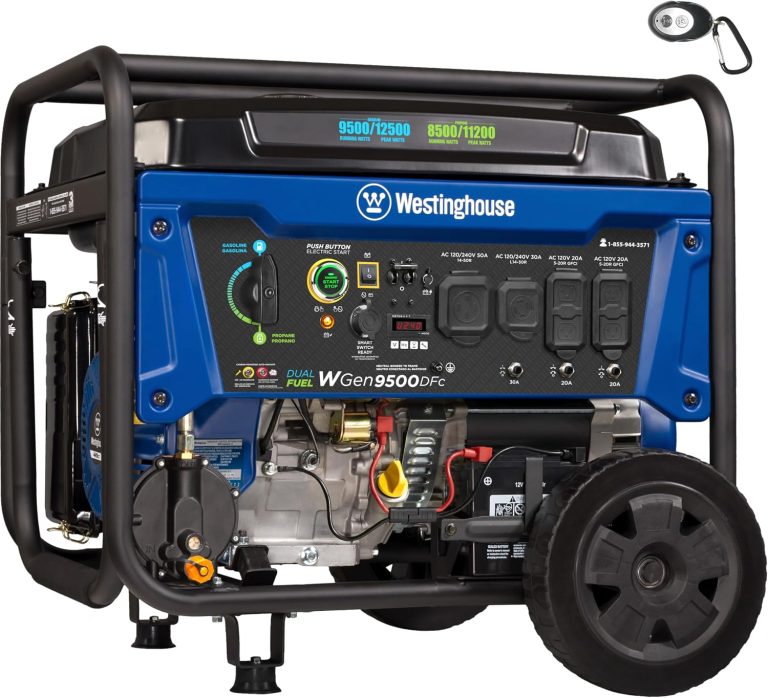
Your electrician will need to coordinate with your generator installer to ensure the system communicates properly. This usually happens during the initial generator setup.
Where to Mount the Switch
Most residential ATS units are mounted on an exterior wall near the electric meter. This keeps the wiring short and makes it easy for utility workers to see the disconnect.
You want the switch protected from rain and direct sunlight. Many models come with a weatherproof enclosure, but you should verify this before buying.
Clearance and Access Rules
Local building codes often require a certain amount of clearance around the switch. This ensures firefighters and utility crews can access it in an emergency.
Check with your local building department before installation. Your electrician should be familiar with these requirements, but it never hurts to ask.
Testing Your System After Installation
Once installed, you should test the switch to make sure it works. Your electrician will simulate a power outage and verify the transfer sequence. We found that this test is quick but essential.
After that, you should test the system yourself every few months. Run the generator under load to confirm everything still works. Many experts say this simple habit can extend the life of your equipment.

Maintenance Tips to Keep Your ATS Reliable
An automatic transfer switch is a “set it and forget it” device, but that does not mean you should ignore it completely. A little care goes a long way.
We found that routine maintenance is minimal but important. Here is a quick checklist to keep your system in top shape:
- Inspect monthly: Look for rust, corrosion, or loose wires around the switch enclosure.
- Test quarterly: Simulate a power outage and let the switch transfer to generator power.
- Clean contacts: Have an electrician clean the contact points once a year.
- Check the battery: If your generator has a battery, make sure it is charged and healthy.
- Listen for odd sounds: Clicking or buzzing from the switch could indicate a problem.
- Update records: Keep a log of all tests and maintenance for warranty purposes.
Common Problems and How to Spot Them Early
The most common issue we found is a switch that fails to transfer because of a dead generator battery. This is not a switch problem, but it will make the switch look broken.
Other issues include dirty contacts that cause arcing or a stuck solenoid. If you hear a rapid clicking sound, turn off the system and call an electrician right away.
When to Call a Professional
If your switch shows any signs of burning, melting, or excessive heat, do not touch it. Call an electrician immediately. These are signs of a serious electrical fault.
You should also call for professional help if the switch fails an automatic test. Do not try to fix it yourself. High voltage is not something to experiment with.
Cost Breakdown for a PC Type ATS
We found that the cost of a PC type transfer switch varies based on brand, amperage, and features. The switch itself is not the biggest expense; installation labor is.
Here is a rough idea of what you can expect to pay:
- 100-amp switch: around $300 to $600 for the unit.
- 200-amp switch: around $500 to $1,000 for the unit.
- Installation labor: typically $500 to $1,500 depending on your area.
- Permits and inspection: usually $100 to $300.
- Total project: expect $1,000 to $3,000 all in.
That price is a small fraction of what you would lose from spoiled food, frozen pipes, or a flooded basement during a long outage. It is an investment in your comfort and safety.
Does It Increase Your Home’s Value
Many homebuyers see a whole-house generator and automatic transfer switch as a major plus. We found that it can make your property more attractive, especially in areas prone to storms and outages.
Even if you do not get a full return on investment when you sell, the convenience and safety you gain are worth it. You cannot put a price on never sitting in the dark again.
Final Thoughts on PC Type Transfer Switches
We found that the PC type automatic transfer switch is the gold standard for residential backup power. It is reliable, safe, and straightforward. You get automatic protection without paying for commercial-grade complexity.
If you are adding a generator to your home, ask your installer about a PC type ATS. It is the practical choice that most experts recommend, and it will serve you well for decades.
Conclusion
You now have a clear picture of why the PC type automatic transfer switch is the go-to choice for most homes. It is safe, simple, and built to handle power outages without you lifting a finger. The brief break between power sources is a smart safety feature, not a flaw.
We found that this switch gives you dependable backup power at a price that makes sense for residential use. It protects your appliances, keeps your family comfortable, and removes the stress of manual switching during a storm.
Your next step is simple: talk to a licensed electrician about your generator setup. Ask them to confirm a PC type ATS is the right size for your panel and load. Getting that expert opinion now will save you money and headaches later.
Frequently Asked Questions
Can I install a PC type transfer switch myself?
You should not attempt this as a DIY project. This work involves high voltage and critical safety connections that require a licensed electrician.
We found that improper installation can create serious risks like back-feeding or electrical fires. Hiring a professional is worth every penny for your safety and peace of mind.
Will a PC type ATS work with any generator brand?
Most PC type switches are compatible with a wide range of generator brands, but you need to check the specifications. The switch and generator must communicate properly for automatic startup to work.
Your electrician or generator installer can confirm compatibility before you buy. It is always better to verify than to assume.
How often should I test my automatic transfer switch?
You should test the system at least once every three months. This means simulating a power outage and letting the switch transfer to generator power.
Many experts say monthly testing is even better for catching small problems early. A quick test takes just a few minutes and can prevent a major failure when you need it most.
What is the difference between a PC type and a contactor type transfer switch?
A PC type switch uses a mechanical mechanism that physically breaks one connection before making another. A contactor type uses an electrically held solenoid to hold the contacts closed.
We found that PC type switches are generally more reliable for residential use because they do not rely on continuous power to stay engaged. They also tend to handle surge currents better over time.
Does a PC type transfer switch require a lot of maintenance?
No, this switch is designed to be mostly maintenance-free. You just need to do a visual inspection monthly and test it quarterly.
Once a year, have an electrician clean the contact points and check for loose connections. That is really all it takes to keep your system reliable for years.